
Team Stacks & Architectures
Stacking means rostering several hitters from the same team so their scoring correlates. The TEAM STACKS tab in Advanced Options controls it on two levels: whole-lineup architectures, and per-size stack tiers.
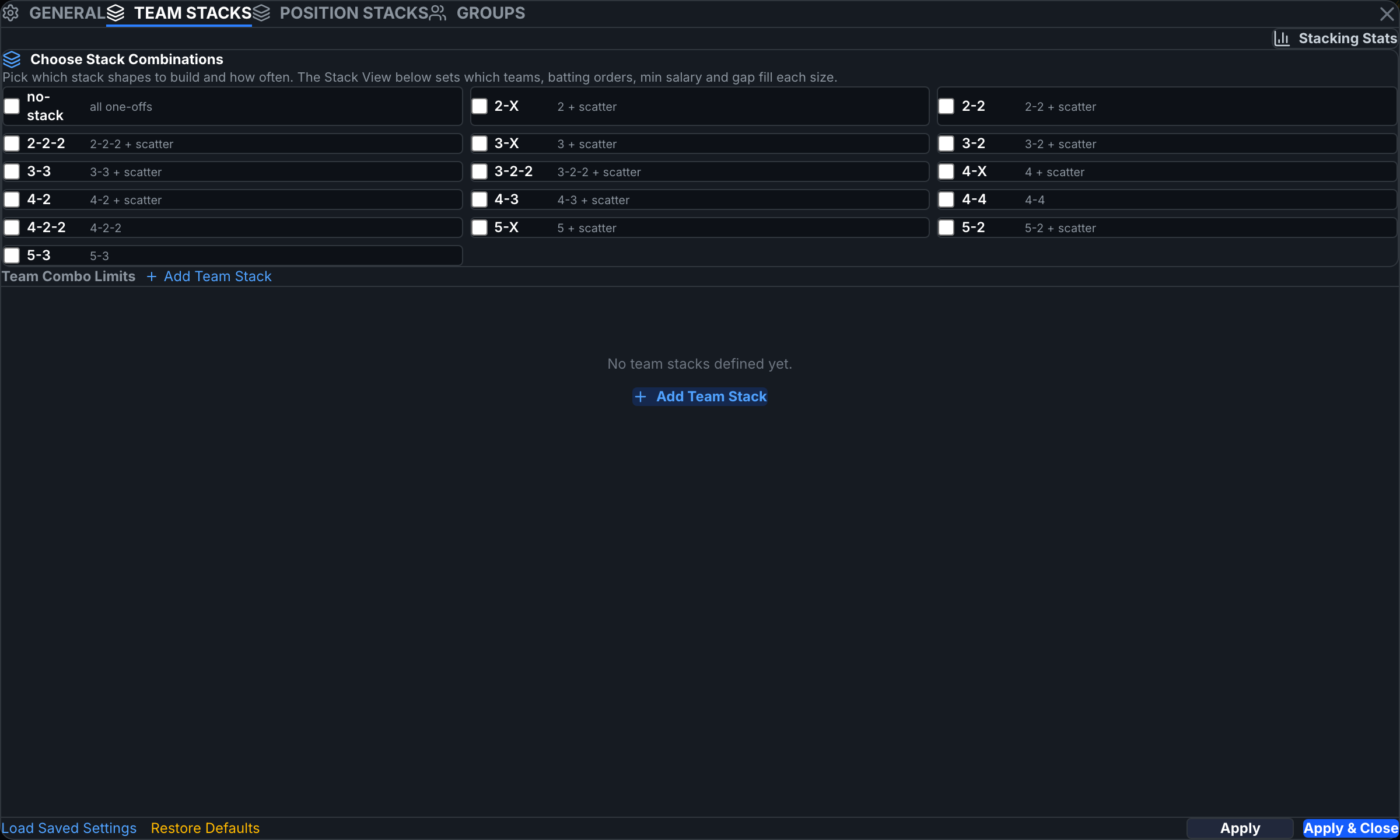
Stack architectures — the lineup's shape
The Choose Stack Combinations panel lists whole-lineup hitter shapes — 5-2, 4-3, 3-2-2, and so on (a 5-2 = one 5-hitter stack plus a 2-hitter stack). Check the shapes you want and give each a % allocation; the running total shows how much of the build is assigned. Checked architectures own the distribution — the per-tier exposure inputs below gray out while team/batting-order/salary tier settings stay live.

Per-size stack tiers
Below the combinations, click + Add Team Stack to create a stack definition. The Stack Size selector (5, 4, 3, 2…) then switches between per-size tiers, each with:
- Min/Max Exposure — global for the size, cascading to every team; each team row also takes its own min/max.
- Batting Orders — which lineup spots count toward the stack (e.g. limit a 5-stack to batting orders 1–6).
- Min Salary / Max Gap / Positions — further shape which hitters qualify.
- Team rows — sortable by Vegas, Proj, Own%, Value, showing the opposing pitcher; expand a team to check/uncheck individual hitters' eligibility.
The Stacking Stats board
The Stacking Stats button (top right of the tab) opens a read-only board of per-team stack aggregates for the slate — a decision aid, closed with ×.
The Sys | User view toggles at the top of the tab switch the displayed aggregates between system numbers and your overrides — display only; the build's sources are set on the build bar.
Architecture allocations and per-size exposure tiers interact with global Max Exposure and locks. If stacked builds come back short or infeasible, reduce the number of checked architectures or widen exposures.