
Per-Player Exposure & Boosts
Beyond lock/exclude, each row has three finer controls: exposure bounds, the Adj boost, and a bulk-edit wand in the column headers.
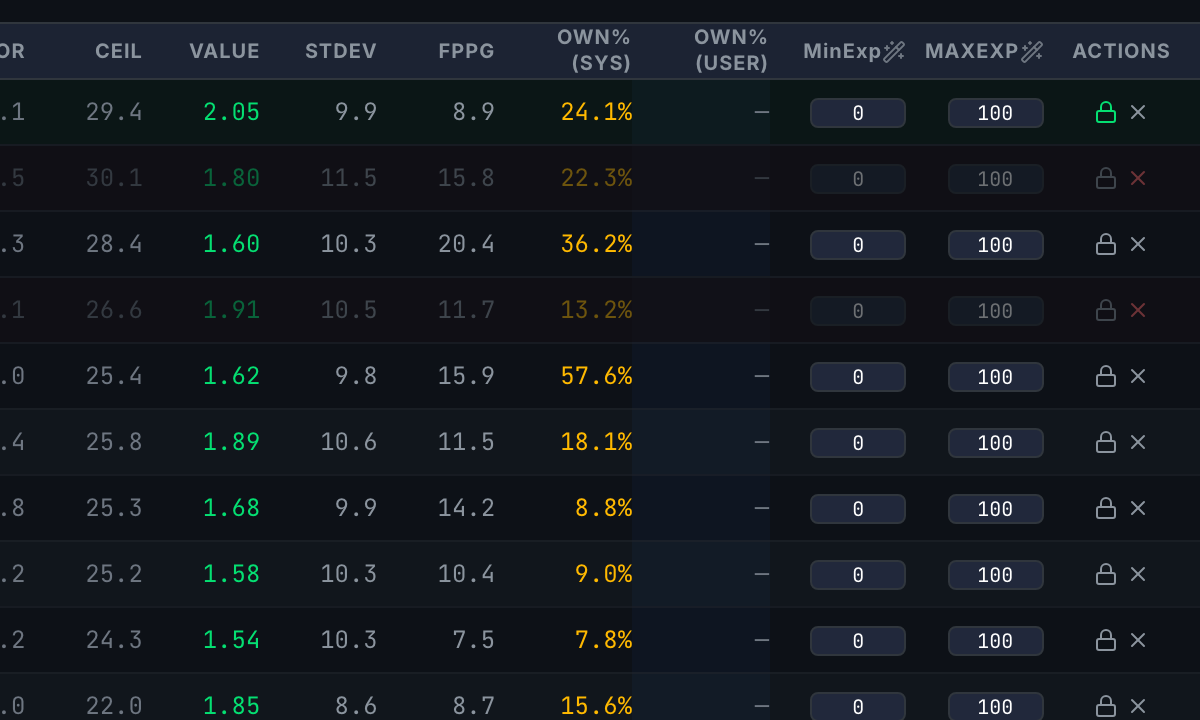
MinExp / MaxExp — per-player exposure bounds
The MinExp and MaxExp columns set the percentage of lineups a player may appear in (0–100). MaxExp 50 on a 100-lineup build means at most 50 lineups; MinExp 20 forces at least 20. Per-player values override the global Max Exposure setting for that player.
The Adj boost
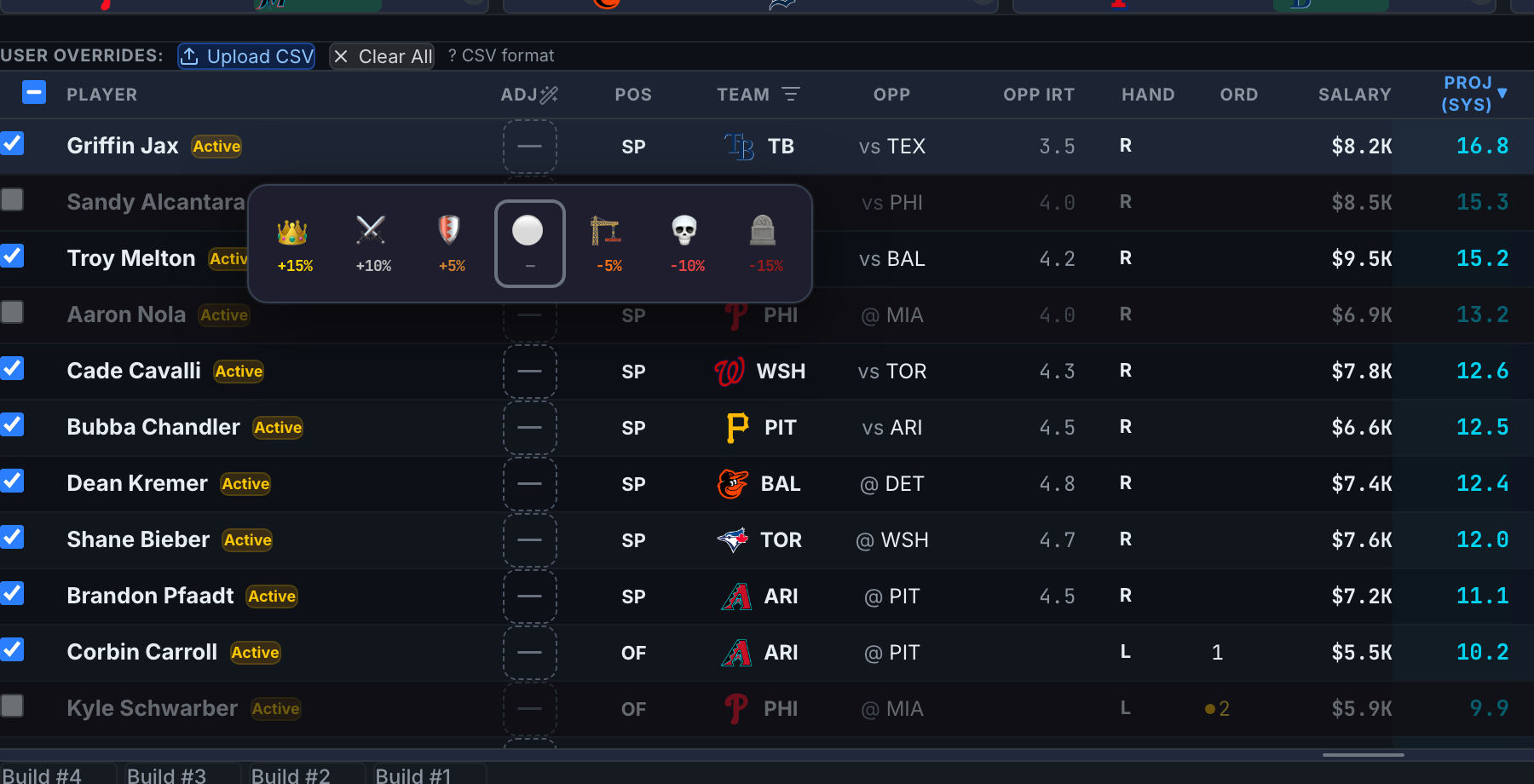
Click a player's Adj cell to open the boost popover: a tiered boost/nerf applied to their projection. The pool then shows the original projection struck through next to the adjusted number, color-coded by tier — and the build optimizes on the adjusted value. Setting the tier back to neutral removes it.
Bulk edit with the wand
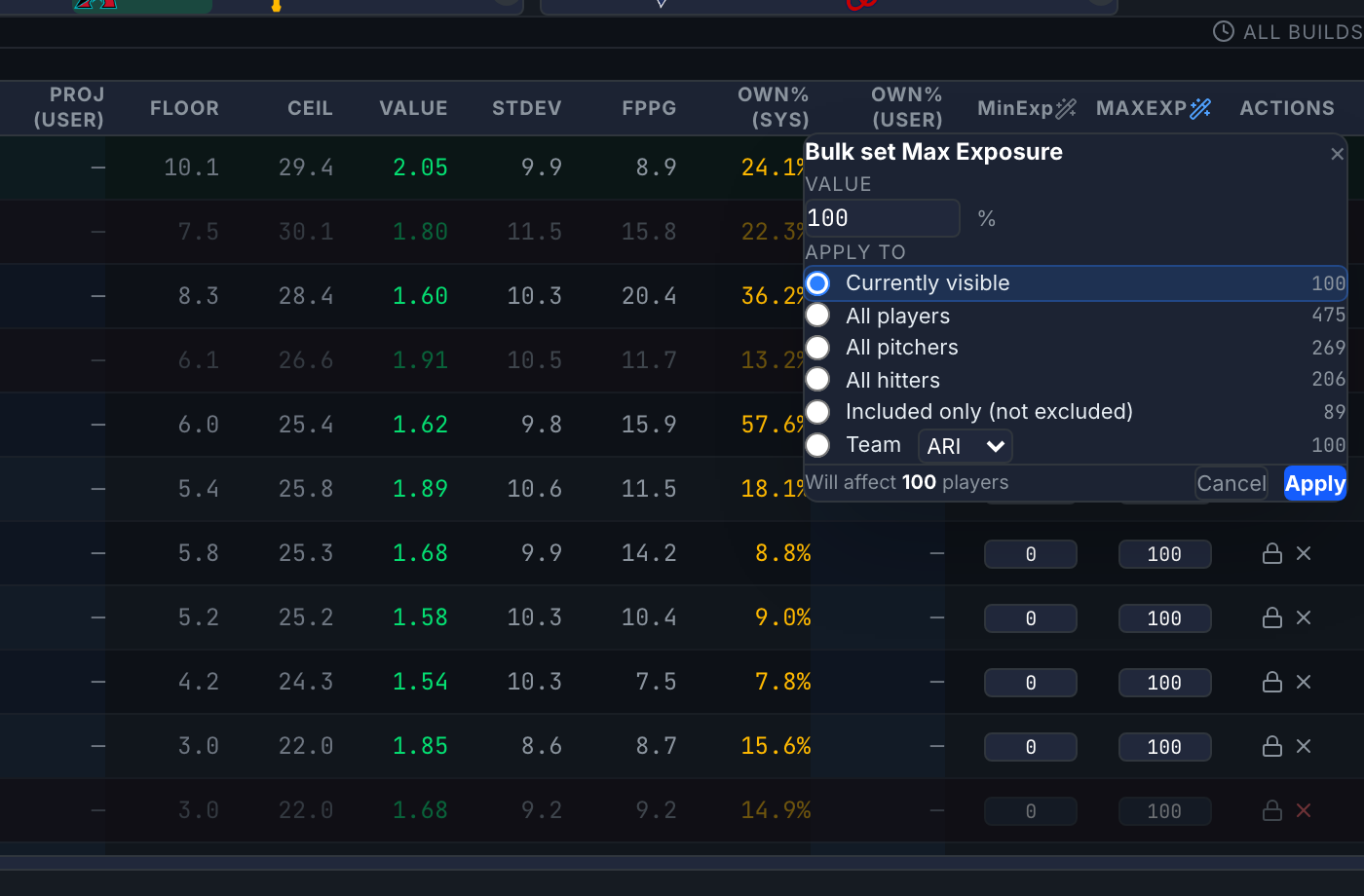
The wand icon in the Adj, MinExp, and MaxExp headers applies one value across a scope: currently visible, all players, all pitchers, all hitters, included-only, or one team — with a live "will affect N players" count before you Apply. Filter the pool first to aim "currently visible" at exactly the set you want.
Boosts stack with everything else: the build maximizes projection × (1 + boost) using whichever projection source is active. A boost on a user override adjusts the override, not the system number.